
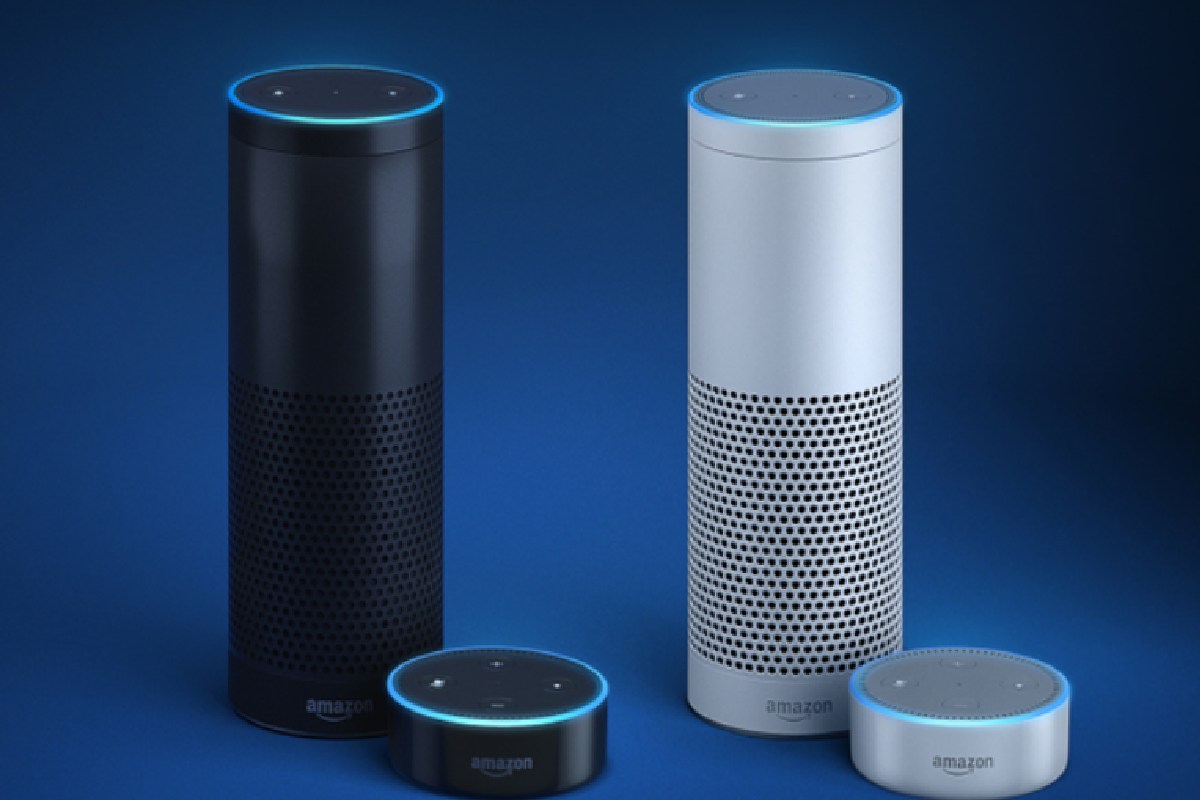
Google voice assistants sound cool, but most people are really asking three things: Is it always listening, will anyone at home actually use it, and which device won’t be a waste of money? Google Voice Assistants are just Google Assistant-powered devices you talk to so they handle everyday stuff like music, timers, lights, and directions while you get on with your day.
Table of Contents
The real pain points (simplified)
“I don’t want a spy in my living room.”
A lot of people don’t know what’s actually recorded and stored, so it feels creepy. This guide explains, in plain language, how Google voice assistants listen, what gets saved, and the easy privacy settings you can switch on so you stay in control.
“I bought a smart speaker and now it’s just an expensive clock.”
Many speakers are fun for a week, then end up just showing the time because no one knows what else to do. You’ll see simple, real-life examples—mornings, cooking, studying, local info, accessibility—so the device actually earns its place instead of gathering dust.
“I have no idea which Google device fits my home.”
Product pages love specs but don’t answer “Is this enough for my small room?” or “Do I really need a screen and camera?”. This guide walks through common setups (small apartment, shared flat, family home) and gives clear, no-drama picks so you don’t overbuy or overcomplicate things.
By the end, you’ll know what Google voice assistants are, how they work in the background, which device matches your space and budget, and how to use them without feeling like you’ve given up your privacy.
What are Google Voice Assistants?
Google voice assistants are devices that run Google’s AI (formerly known as Google Assistant, now evolving into Gemini).
They are built into phones, smart speakers, displays, TVs, and wearables. When you say “Hey Google,” they wake up, listen to your command, and help you get things done.
As of late 2025, most of these devices are getting a massive brain upgrade to Gemini.
| Old Way (Google Assistant) | New Way (Gemini AI) |
| You say: “Hey Google, set timer 15 mins.” Then: “Hey Google, play jazz.” |
You say: “Hey Google, I need to focus for 15 mins, play some jazz and tell me when time is up.” |
| Result: Robotic & Command-based. | Result: Natural & Conversational. |
In many homes, you’ll see these assistants in three main places:
-
Smart Speakers: (Like Nest Audio or Nest Mini) Great for music and quick questions.
-
Smart Displays: (Like Nest Hub) Screens that show recipes, timers, and videos.
-
Android Phones: Your personal assistant on the go.
They sit in kitchens, living rooms, and bedrooms, quietly acting as the “voice layer” on top of Google services like Maps, Calendar, YouTube, and Search.
How Google Voice Assistants Work (Without the Tech Talk)
Here’s the simple version of what happens every time you say “Hey Google”:
-
You say the wake phrase
The microphone in your phone or Nest device listens for “Hey Google” in the background, but it only sends audio to Google’s servers once that trigger phrase is detected. -
Your speech gets turned into text
Your voice is sent securely to Google’s servers, where speech recognition and language models convert what you said into text and figure out the intent—set a timer, answer a question, play music, and so on. -
Google finds the best answer or action
Google then taps into Search, Maps, Gmail, Calendar, YouTube, or your connected smart home devices to find the right response. -
The assistant talks back or does the thing
You either hear a natural-sounding reply, see a card on your display, or watch something happen in your home—like lights dimming or a thermostat changing.
|
🎧
Step 1 |
➡️ |
🗣️
Step 2 |
➡️ |
☁️
Step 3 |
| The mic listens in a short loop on the chip. (Audio deleted locally) |
You say “Hey Google” & device wakes up. (Verification starts) |
Encrypted audio sent to Google for answer. (Only part saved) |
You don’t need to understand the machine learning under the hood. For you as a user, it’s basically: say what you want → Assistant understands → something useful happens.
Real-Life Ways People Use Google Voice Assistants
Instead of just saying “they’re convenient”, let’s make it real. Here’s how people actually use Google voice assistants day-to-day.
At home
-
“Hey Google, play 90s hip hop on Spotify.”
-
“Set a 10-minute timer for pasta.”
-
“What’s the weather this weekend in Austin?”
 “Turn off the living room lights” (if you’ve hooked up smart bulbs or plugs).
In many homes, the Nest Mini or Nest Hub sits in the kitchen or living room as a hands-free helper while cooking, cleaning, or dealing with kids. It replaces the need to pull out a phone with messy hands or shout across the house.
On the go
-
“Hey Google, navigate to Costco.”
-
“How’s traffic to work?”
-
“Read my new text messages.”
On Android phones and Android Auto in cars, Google Assistant acts like a safer, voice-first layer so you’re not poking at your screen while driving.
For family and accessibility
-
Kids ask homework questions like “What’s 15% of 80?”
-
Elderly family members use simple voice commands to make calls or control lights, reducing falls and making tech more accessible.
-
People with limited mobility can control smart plugs, locks, and thermostats without needing to reach for physical switches.
Voice assistants aren’t just “nice toys” anymore—they solve very real convenience and accessibility problems when set up properly.
Best Google Voice Assistant Devices in 2025
Instead of drowning in specs, think of Google voice assistant devices by room + job. Here’s a simple cheat sheet:
| Best For… | Device | Why it fits | Privacy |
|---|---|---|---|
| Small Bedroom | Nest Mini | Compact & cheap. Great for alarms. | ✅ No Camera |
| Music (Living Room) | Nest Audio | Better speakers for filling a room. | ✅ No Camera |
| Kitchen / Recipes | Nest Hub (2nd Gen) | Screen is vital for timers & cooking videos. | ✅ No Camera |
| Family Video Calls | Nest Hub Max | Larger screen + camera for Meet calls. | ⚠️ Has Camera |
Pro Tip: The 2-in-1 Upgrade If you have a higher budget, look at the Pixel Tablet with Speaker Dock for a 2-in-1 experience.
Rumors suggest it is replacing the dedicated Nest Hub in some marketing because it gives you a detachable Android tablet for movies and browsing, then turns into a smart display when you magnetically dock it to the speaker. It’s pricier, but you get two devices in one.
-
Start small: If you’re unsure, a single Nest Mini in the kitchen or bedroom is enough to learn what you’ll really use daily.
-
Go bigger if you love visuals: Nest Hub makes more sense if you watch YouTube, follow recipes, or like seeing timers and calendars at a glance.
-
Think about privacy: If cameras weird you out in private spaces, stick to audio-only speakers in bedrooms and use Hub Max in living rooms.
These suggestions line up well with major testing-based lists like best Google smart home devices but shift the focus from pure specs to “What job does this actually do for you?”.
If you’re just getting started with automation and want to see how Google voice assistants fit into a wider setup of locks, lights, and thermostats, check out our guide to devices to make your home a smart home.
Are Google Voice Assistants Always Listening?
This is the worry almost everyone has—and it’s valid.
Here’s the straight answer:
-
The mic is listening for the wake phrase (“Hey Google”), not recording everything and sending it to the cloud 24/7.
-
Once it hears “Hey Google”, it captures that snippet of audio, sends it to Google’s servers, and uses it to understand and respond.
-
By default, some of those recordings and transcripts can be saved to your Google account to “improve services”, unless you change settings.
If that makes you uncomfortable, you’re not stuck. You have options.
How to stay in control (simple steps)
-
Turn off “Hey Google” in rooms where you don’t need it (like bedrooms).
-
Use the physical mic switch on Nest speakers and displays whenever you want guaranteed silence.

-
Regularly delete voice activity from your Google Account or auto-delete after a set period.
-
Say “Hey Google, delete what I said today” if you just want to wipe the latest stuff.
Google documents these controls in its own support pages, but they’re buried in menus—most people never touch them. Spending 5–10 minutes to lock them down once can make you much more comfortable living with voice in your home.
Google Voice Assistants vs Alexa and Siri: When Does Google Win?
You’ll hear this question a lot in many households: “Should I go with Google or Alexa?”
Here’s the short, practical view.
| Feature | Google (Gemini) | Amazon Alexa | Apple Siri |
| Answering Questions | 🟢 Best (Uses Google Search) | 🟡 Okay | 🟡 Okay |
| Maps & Navigation | 🟢 Best (Google Maps) | 🟡 Okay | 🟡 Okay |
| Smart Home Support | 🟢 Great (Matter support) | 🟢 Widest support | 🟡 Restrictive (HomeKit) |
| iPhone Integration | 🟡 Good app, but not native | 🟡 Good app, but not native | 🟢 Seamless |
| Online Shopping | 🟡 Good | 🟢 Best (Amazon Prime) | 🔴 Weak |
-
You live inside the Google world already—Android, Gmail, YouTube, Google Photos.
-
You care a lot about accurate answers to random questions and strong navigation.
Pick something else (or add it) if:
-
Your home is already full of Echo devices and Alexa routines.
-
You’re deep into Apple gear and want tight Apple-only integration.
A neutral comparison like Google Assistant vs Alexa shows that there’s no absolute winner—only what fits your setup better.
How to Choose the Right Google Voice Assistant for Your Home
Instead of overthinking every spec sheet, walk through this quick three-step filter:
-
What do you actually want help with?
-
Just music and questions → Start with Nest Mini or Nest Audio.
-
Cooking, YouTube, recipes, timers → Go for Nest Hub (2nd Gen).
-
Family video calls, home hub → Nest Hub Max in the living room.
-
-
Where will it live?
-
Small apartment or dorm → One device in the main room is enough.
-
Larger home → One central display + 1–2 smaller speakers in bedrooms or office.
-
-
What’s your privacy comfort level?
-
Not okay with cameras → Stick to Nest Mini / Nest Audio / Nest Hub (no camera).
-
Okay with cameras in shared spaces only → Use Hub Max in the living room, none in bedrooms.
-
If you treat Google voice assistants as tools—not toys—and set them up with your boundaries in mind, they quietly save you minutes every single day instead of feeling like some creepy gadget watching you.
Google Voice Assistants end up fitting best when they live where you already spend time, answer the kinds of questions you already ask your phone, and stay inside the privacy lines you draw for your own home.
If you’re still deciding how “smart” your place should be before committing to more devices, our overview of top smart home devices for your home today walks through different levels of setup, from basic to more advanced.
Key FAQs about Google Voice Assistants
1. Are Google voice assistants always listening?
They always listen locally for “Hey Google”, but only send audio to Google’s servers after the wake phrase or manual activation. You can mute the mic or disable voice activation in settings.
2. What’s the difference between Google Assistant and a Google voice assistant device?
Google Assistant is the software; Google voice assistant devices (Nest Mini, Nest Hub, phones) are the hardware that runs it.
3. Do I need more than one Google voice assistant at home?
No. One device in a central room is enough to start; bigger homes sometimes add extra speakers or displays for convenience.
4. Which Google device is best for a small room?
Nest Mini is usually the best pick for small bedrooms, dorms, or desks—compact, affordable, and full Google Assistant support.
5. How do I stop Google saving my voice recordings?
Turn off “Voice & Audio Activity” in your Google Account, set auto-deletion, or delete via “Hey Google, delete what I said today”.
Final Thoughts on Google Voice Assistants
Used well, Google voice assistants are less about showing off gadgets and more about quietly saving you a few minutes every day—playing music, handling reminders, answering quick questions, and running your smart home without you reaching for a screen. When you match the right device to your space and tighten your privacy settings, they become practical tools instead of “expensive clocks” or “spies in the corner”.
Disclosure
This content was created using information from official Google documentation, reputable tech publications, and recent industry reports available at the time of writing. While every effort has been made to ensure accuracy and clarity, readers should always double-check critical details (such as device support, pricing, and regional availability) on official product and support pages before making purchase or setup decisions.
Abdul Rahman is a blogger and content writer with over 4 years of experience creating clear, easy-to-follow articles on technology and everyday digital tools.