
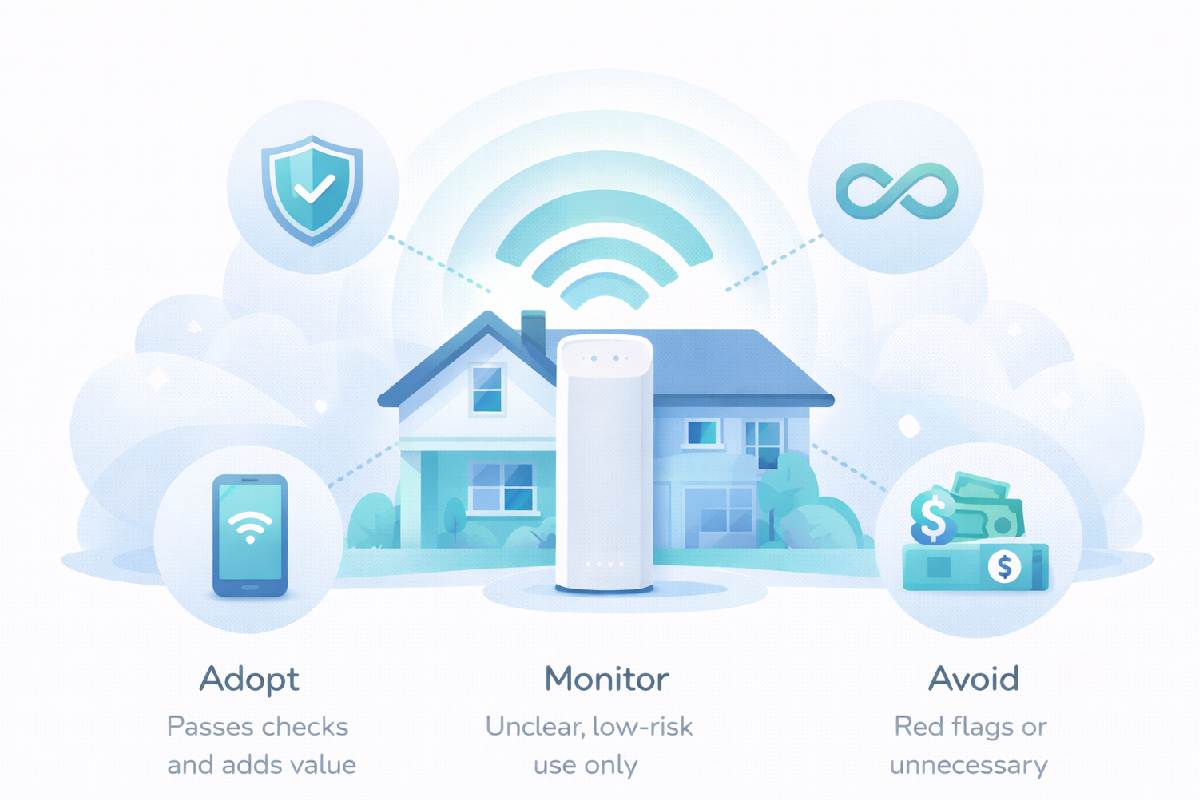
xFi Complete is an add-on bundle for Xfinity internet that combines the xFi Gateway, whole-home WiFi features, advanced security, and, in some areas, unlimited data or higher data allowances for a single monthly fee. This guide explains what you actually get with xFi Complete, how it compares to using your own equipment or standard plans, and when the upgrade is worth paying for.
If you’ve seen “xFi Complete” on an offer or your bill and felt unsure what it really does, you’re not alone. Xfinity’s marketing often mentions xFi Complete in broad terms, which makes it hard to tell whether it’s a must-have upgrade or just another line item. In this article, we’ll break down the bundle into concrete parts, show how it changes your setup and costs, and walk through real-world scenarios so you can decide if it fits your home.
Important Disclaimer – Xfinity Plans and xFi Complete
Information about Xfinity plans, xFi Complete, pricing, data caps, and included features can change based on time, region, and promotions. This guide is for general information only and is not official advice. Always rely on your current Xfinity bill, your online account, and the latest terms on Xfinity’s official website or support channels to confirm what your specific plan and xFi Complete option include before making decisions or changes.
Table of Contents
Key Takeaways
- xFi Complete is an optional Xfinity add-on that bundles the xFi Gateway rental, WiFi management features, advanced security, and, in many areas, unlimited data or higher data allowances into one monthly fee.
- It simplifies setup and support, especially for non-technical households, but you pay ongoing rental fees instead of owning your own modem and router.
- For heavy data users, larger homes, or families who want simple parental controls and security, xFi Complete can be convenient and cost-effective.
- Tech-savvy users who already own good equipment may get better performance and lower long-term costs without xFi Complete, especially if they don’t need unlimited data.
- The right choice depends on your home size, device count, data usage, and how comfortable you are managing your own network and hardware.
Who This Guide Is For (And What Problem It Solves)
This guide is for:
- Current Xfinity internet customers who see “xFi Complete” on their account or in offers and aren’t sure what it includes.
- People shopping for Xfinity internet who want to understand whether they should add xFi Complete or skip it.
- Non-technical households who want reliable WiFi and security without getting lost in technical details.
The problem it solves is confusion. xFi Complete is marketed as a simple way to “complete” your internet experience, but it’s not always clear what you’re paying for or whether you actually need it. By the end of this guide, you’ll know what’s in the bundle, how it affects your bill and setup, and how to decide if it’s a good fit for your home.
What xFi Complete Actually Includes
Many customers assume that if Xfinity is promoting xFi Complete, it must be essential. In reality, it’s an optional bundle that may or may not match your needs.
The problem is that the details are often buried in fine print or spread across multiple pages. That makes it easy to sign up without fully understanding what you’re getting, or to ignore it and potentially miss out on benefits like unlimited data or better WiFi coverage. This uncertainty can lead to overpaying for features you don’t use or dealing with avoidable issues like data overages and dead zones.
The solution is to break xFi Complete into its main components and look at each one separately. Once you understand what’s inside the bundle, you can compare it to your current setup and decide whether it solves real problems for you.
Core Components of xFi Complete
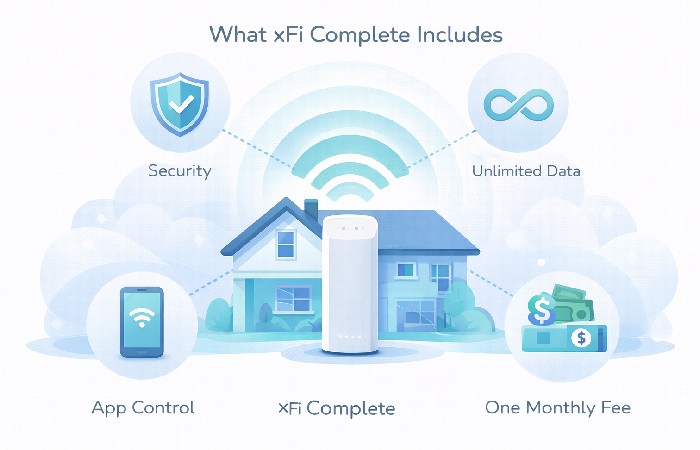
While exact details can vary by region and promotion, xFi Complete typically includes:
- xFi Gateway rental – Xfinity’s modem/router combo, which connects your home to the internet and broadcasts WiFi.
- xFi app and WiFi management features – Tools to manage your network, see connected devices, pause WiFi, and create profiles.
- Advanced security features – Network-level threat protection, safer browsing, and basic parental controls integrated into the gateway and app.
- Unlimited data (where available) – In many areas, xFi Complete includes unlimited data or higher data thresholds, reducing or eliminating overage fees.
What xFi Complete Is Not
It’s also important to understand what xFi Complete does not do:
- It does not automatically increase your internet speed; speed is determined by your plan tier.
- It is not mandatory; you can have Xfinity internet without xFi Complete.
- It is not the only way to get good WiFi; you can use your own modem and router or a mesh system instead.
Think of xFi Complete as a convenience and protection bundle, not a magic performance upgrade.
How xFi Complete Changes Your Xfinity Internet Setup
Using the xFi Gateway vs Your Own Modem/Router
With xFi Complete, you typically use the xFi Gateway provided by Xfinity:
-
Pros of the xFi Gateway:
- One device that Xfinity supports end-to-end.
- Integrated with the xFi app for easy network management.
- Automatic updates and configuration handled by the provider.
-
Cons of the xFi Gateway:
- You pay a monthly rental fee instead of owning your hardware.
- Less flexibility than high-end third-party routers or mesh systems.
- Power users may find fewer advanced settings and customization options.
If you own your own modem and router, you avoid rental fees and can choose hardware that fits your performance needs. However, you also take on more responsibility for setup, troubleshooting, and upgrades.
Whole-Home WiFi and Coverage
xFi Complete is often marketed as a way to improve WiFi coverage:
- The xFi Gateway is designed to provide WiFi coverage for many average-sized homes, and in some cases, xFi Complete may include or discount xFi Pods (WiFi extenders) to help with dead zones.
- For medium-sized homes with a standard layout, this can be enough to provide reliable coverage without extra equipment.
Marketing terms like “whole-home WiFi” are aspirational; actual coverage will depend on your home’s size, layout, and construction.
However:
- Very large homes, multi-story houses, or homes with thick walls may still benefit from a dedicated mesh WiFi system.
- If you already own a good mesh system, xFi Complete’s coverage benefits may be less compelling.
Security and Parental Controls
xFi Complete includes access to xFi Advanced Security features:
- Network-level threat detection and blocking for connected devices.
- Basic parental controls, such as pausing WiFi for specific profiles or devices.
- Visibility into which devices are on your network and what they’re doing at a high level.
These features are convenient for non-technical households, but they are not a complete replacement for:
- Device-level antivirus or security software.
- More advanced parental control solutions that offer detailed content filtering and time management.
For many families, xFi’s built-in tools are “good enough” for basic safety and control, especially compared to having nothing at all.
Even with xFi Advanced Security, you still need device-level protection, strong passwords, regular updates, and safe browsing habits, and it helps to understand broader modern internet security best practices.
xFi Complete and Data Usage (Unlimited vs Caps)
Data Caps on Standard Xfinity Plans
In many regions, Xfinity internet plans use monthly data caps or allowances, although exact limits and policies can change over time:
- If you stay under the cap, you pay your normal monthly fee.
- If you exceed it, you may incur overage charges or need to add an unlimited data option.
The exact cap and fees vary by region and plan, so it’s important to check your local terms and review the latest Xfinity data usage policy.
How xFi Complete Handles Data Limits
In some markets, xFi Complete is offered with unlimited data as part of the bundle:
- Instead of paying separately for unlimited data, you get it bundled with the gateway and other features.
- This can simplify your bill and reduce the risk of surprise overage charges.
However, availability and details can vary:
- In some areas, unlimited data may be included by default with xFi Complete.
- In others, it may be an optional add-on or structured differently.
Always confirm with Xfinity what xFi Complete includes in your specific region.
Who Actually Needs Unlimited Data
Unlimited data is most valuable for:
- Households that stream a lot of HD or 4K video on multiple devices.
- Gamers who download large updates and play online frequently.
- Remote workers who transfer large files or use data-heavy tools.
- Large families with many devices connected all day.
If your household uses relatively little data—basic browsing, email, and occasional streaming—you may not need unlimited data, and xFi Complete’s data benefits may be less important.
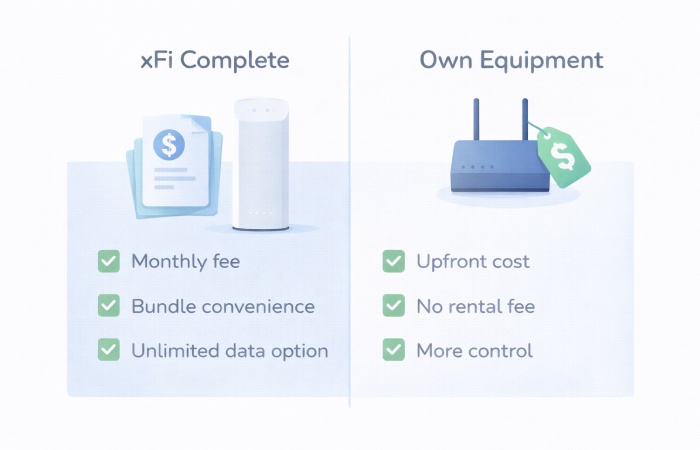
Cost Breakdown – xFi Complete vs Standard + Own Equipment
Monthly Cost of xFi Complete
xFi Complete adds a monthly fee on top of your base internet plan:
- This fee covers the xFi Gateway rental, advanced features, and, in many areas, unlimited data or higher data allowances.
- On your bill, it may appear as a single line item or as part of a bundle.
While we won’t quote exact prices (they change and vary by region), you can think of it as:
- Base internet plan price
-
- xFi Complete add-on (gateway + features + unlimited data)
Owning Your Own Modem and Router
If you choose to own your own equipment:
- You pay an upfront cost for a compatible modem and router (or a gateway/mesh system).
- You avoid ongoing rental fees, which can save money over time.
- You have more control over performance and features.
However:
- You are responsible for choosing compatible hardware.
- You may need to handle more of the troubleshooting yourself.
- You may need to add unlimited data separately if you want it.
1–3 Year Cost Comparison (Conceptual)
Consider three simplified scenarios:
-
Small apartment, light usage:
- Standard plan + basic owned router may be cheapest over 1–3 years.
- xFi Complete may be overkill if you don’t need unlimited data or advanced features.
-
Medium family home, moderate usage:
- xFi Complete can be attractive if you want simple setup, decent coverage, and peace of mind about data.
- Owning your own gear may still be cheaper long-term if you’re comfortable managing it.
-
Large home, heavy usage:
- For households that consistently exceed their data allowance, xFi Complete with unlimited data may work out cheaper than repeated overage fees, but you’ll need to compare the monthly add-on cost to your own overage history.
- You might still choose your own high-end mesh system for better coverage, with or without xFi Complete depending on how Xfinity structures unlimited data in your area.
Cost Questions to Ask Before Adding xFi Complete
- How much am I paying now for equipment rental and data?
- How much data do we actually use each month?
- How long would it take for owning my own equipment to pay off?
- Does xFi Complete solve real problems (coverage, overages, complexity) for us?
Real-World Scenarios – When xFi Complete Makes Sense (and When It Doesn’t)
These scenarios are examples; always check how xFi Complete is priced and configured on your actual account before applying them to your situation.
Scenario 1 – Non-Technical Household, Medium/Large Home
You have a family, a multi-room home, and several devices, but no one wants to deal with network settings.
- Why xFi Complete helps:
- Xfinity handles the gateway, updates, and basic security.
- The xFi app makes it easy to see devices and pause WiFi for kids.
- Unlimited data (if included) reduces worry about overages.
In this case, paying a bit more for simplicity and support can be worth it, especially if your small business is struggling with tech or your household already feels overloaded managing devices and settings.
Scenario 2 – Tech-Savvy User with Own Gear
You already own a good modem and a mesh WiFi system, and you’re comfortable tweaking settings.
- Why xFi Complete may not be needed:
- You don’t need the xFi Gateway rental.
- You may already have better coverage and performance.
- You can add unlimited data separately if needed.
Here, xFi Complete might just duplicate what you already have, making it an unnecessary expense.
Scenario 3 – Heavy Data User Worried About Overages
Your household streams 4K, downloads large games, and works from home.
- Why xFi Complete can be attractive:
- Bundled unlimited data can protect you from overage fees.
- The gateway and app simplify management for a busy household.
If overages are a recurring issue, the added cost of xFi Complete may be lower than what you usually pay in overage fees, but you’ll need to compare it to your actual billing history.
Scenario 4 – Small Apartment, Light Usage
You live alone or with one roommate, in a small space, with modest internet use.
- Why xFi Complete may be overkill:
- A basic plan and simple router may be enough.
- You’re unlikely to hit data caps or need advanced coverage.
In this case, you might save money by skipping xFi Complete and using your own equipment.
How to Decide If xFi Complete Is Right for You
Step 1 – Check Your Current Setup and Pain Points
Ask yourself:
- Am I renting equipment now, or do I own it?
- Do I have WiFi dead zones or frequent connection issues?
- Have I ever hit data caps or paid overage fees?
- Do I worry about security or want easier parental controls?
Step 2 – Look at Your Data Usage and Home Layout
- Review your past bills to see how much data you use.
- Consider your home’s size, number of floors, and wall materials.
- Count how many devices are typically connected at once.
Step 3 – Compare Costs Over 12–24 Months
-
Estimate the total cost of:
- Base plan + xFi Complete.
- Base plan + gateway rental (without xFi Complete).
- Base plan + own modem/router + optional unlimited data.
-
Factor in:
- Upfront hardware costs.
- Rental fees.
- Potential overage charges.
Step 4 – Decide: Keep, Add, or Remove xFi Complete
-
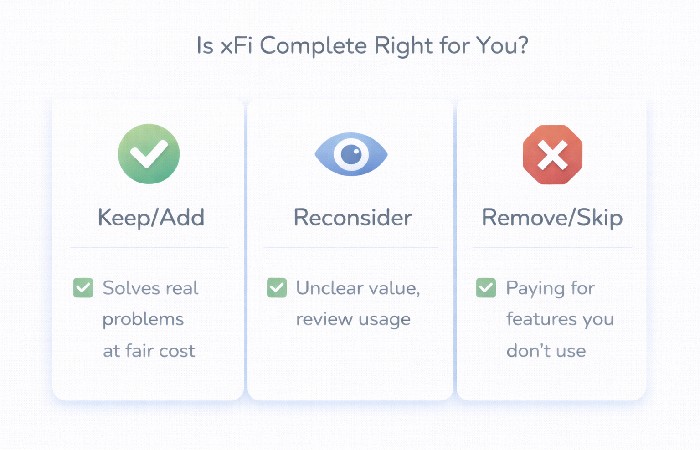
Keep/Add xFi Complete if:
- It solves real problems (coverage, overages, complexity).
- The cost feels reasonable for the benefits.
-
Remove/Skip xFi Complete if:
- You’re paying for features you don’t use.
- You’re comfortable managing your own equipment and security.
- You don’t need unlimited data.
xFi Complete Decision Checklist
- Do we have coverage or data issues today?
- Are we comfortable managing our own modem/router?
- Does xFi Complete’s cost make sense over 1–2 years?
- Would we lose anything important by not having it?
Common Misconceptions About xFi Complete
“xFi Complete Increases My Internet Speed”
xFi Complete does not change your speed tier; it changes your equipment and features. Your download and upload speeds are determined by the plan you choose, not by whether you have xFi Complete.
“I Have to Use xFi Complete to Get Good WiFi”
You can get excellent WiFi with your own modem and router or a mesh system. xFi Complete is one way to get decent coverage and management, especially for non-technical users, but it’s not the only option.
“xFi Complete Is Required for Xfinity Internet”
xFi Complete is optional. You can have Xfinity internet with standard equipment rental or your own compatible modem and router. It’s up to you whether the bundle’s features justify the extra cost.
“Security Is Guaranteed If I Have xFi Complete”
xFi Advanced Security improves your network’s safety, but no solution is perfect. You still need good passwords, device updates, and safe browsing habits. Think of it as an extra layer, not a complete shield.
Conclusion – Treat xFi Complete as a Tool, Not a Default
xFi Complete is a convenience and protection bundle that can make Xfinity internet simpler and safer for many households. It’s most valuable when it addresses specific needs: better coverage, easier management, and protection from data overages.
If you:
- Understand what’s in the bundle,
- Compare its cost to owning your own equipment,
- Match it to your home size, usage, and comfort with tech,
you can make a clear decision instead of accepting add-ons by default. The next step is to look at your recent bills, check your data usage and equipment, and decide whether xFi Complete solves real problems for your home—or whether a simpler setup would serve you just as well.
FAQs on xFi Complete and Xfinity Internet
1. What is xFi Complete?
xFi Complete is an optional add-on bundle for Xfinity internet that typically includes the xFi Gateway rental, advanced WiFi management features, security tools, and, in many areas, unlimited data or higher data allowances. It’s designed to simplify setup and support by packaging equipment and features into one monthly fee.
2. Does xFi Complete increase my internet speed?
No, xFi Complete does not change your speed tier. Your internet speed is determined by the plan you choose (for example, 200 Mbps, 400 Mbps, etc.). xFi Complete affects your equipment, features, and data limits, not the raw speed of your connection.
3. Is xFi Complete required for Xfinity internet?
No, xFi Complete is not required. You can use Xfinity internet with standard equipment rental or your own compatible modem and router. xFi Complete is an optional bundle that may be useful if you want integrated features and, in many areas, unlimited data.
4. Is xFi Complete worth it if I already own my own modem and router?
If you already own a good modem and router or mesh system and are comfortable managing them, xFi Complete may not be necessary. In that case, you might prefer to keep your own equipment and, if needed, add unlimited data separately. xFi Complete is more compelling if you want the convenience of a single, provider-managed setup.
5. Does xFi Complete include unlimited data?
In many regions, xFi Complete includes unlimited data or higher data allowances as part of the bundle, but this can vary by location and promotion. You should check your local Xfinity terms or contact support to confirm whether unlimited data is included with xFi Complete in your area.
6. How much does xFi Complete cost?
The cost of xFi Complete varies by region and over time, but it is typically an additional monthly fee on top of your base internet plan. To understand the real cost, compare your current bill with and without xFi Complete and consider how long you plan to keep the service.
7. Can I use my own router with xFi Complete?
In many cases, you can use your own router behind the xFi Gateway (for example, in bridge mode), but this may change how some xFi features work. If you plan to use your own router, it’s worth checking Xfinity’s documentation or support to see how it interacts with xFi Complete and whether you still need the bundle.
8. How does xFi Complete help with WiFi coverage?
xFi Complete includes the xFi Gateway, which is designed to provide solid coverage for typical homes, and may include or discount xFi Pods in some offers. For many medium-sized homes, this can improve coverage compared to older or basic routers. Very large or complex homes may still benefit from a dedicated mesh system.
9. What security features come with xFi Complete?
xFi Complete includes access to xFi Advanced Security, which provides network-level threat detection and blocking, safer browsing, and basic parental controls. These features help protect connected devices, but they should be used alongside good security practices like strong passwords and regular device updates.
10. How do I decide if I should add or remove xFi Complete?
To decide, review your data usage, home size, and current equipment, then compare the cost and benefits of xFi Complete to your alternatives. If it solves real problems—like data overages, coverage issues, or complexity—and the price feels fair, it may be worth keeping or adding. If you’re paying for features you don’t use or are comfortable managing your own gear, you may be better off without it.