
Most reviews of AI voice tools talk about features; very few talk about whether those tools actually fit into a real content workflow. MicMonster.com is only useful if it helps you create better voiceovers faster, without sacrificing quality where it actually matters. This MicMonster.com review from a practitioner‘s point of view. How does it actually do on the ground, when does it excel and where does it lack, and when is a human voice still the best choice?
For quick and inexpensive voiceovers for videos, training or internal material you might consider MicMonster. If you need emotional storytelling or high‑end brand work, it probably is not. This MicMonster review will help you decide which side you are on.
Disclosure: This material is derived from data published byMicMonster on the officialMicMonster website, in the pricing and help documentation, and through AIresearch and composition. This material is for informational purposes only. It is not a recommendation, a professional opinion, or advice in any medical, financial, or legal way. AsMicMonster products and services, pricing, features, and terms may change over time, always refer toMicMonster‘s current plansbefore utilizing its services for commercial work.
Table of Contents
Quick Rating Snapshot
Overall Rating
4.2 / 5 (editor’s subjective rating based on features, value, and ease of use)
Best For
YouTube channels, e‑learning content, internal training, explainer videos.
Not Ideal For
High‑end brand films, cinematic ads, deep emotional storytelling.
Free Plan
Yes — MicMonster offers a trial tier with 2,000 free characters per month; it is meant for testing and non‑commercial use, and does not include full Pro features.
Paid Plans (Approx.)
MicMonster for the time being offers the following and Pro Max style plans; current samples seen on their pricing page include Pro Monthly (~15 dollars with discount) and Pro Max levels, typically with aggressive promotional deals, such as 50% off. Actual pricing varies all of the time, so always check the MicMonster pricing page for up-to-date pricing.
AI Voices
MicMonster states that it offers 800+ AI voices across its paid plans.
Languages & Accents
The platform advertises support for 140+ languages and accents, with multiple voices per language.
Mobile App
MicMonster provides native mobile apps. An official iOS app listing confirms support for multiple languages and up to 12,000 characters per conversion on mobile. An Android app is also available via Google Play.
Commercial License
According to MicMonster’s commercial license documentation, commercial usage of generated audio (for example on YouTube or in client projects) is available only on paid Pro‑level plans; free trial usage is for non‑commercial purposes.
Who This Review Is For (And What You Will Learn)
This review is for people who create content regularly and are tired of fighting with voiceovers:
- YouTube creators and faceless video channels
- Marketers and agencies that generate explainer films, ads or social content
- Course creators and trainers building e‑learning modules
-
Affordable voiceovers for small businesses that can‘t afford to pay voice talent each time
The underlying problem: You need good, uniform audio and you don‘t have the time, budget or voice talent to produce it all yourself.
In this article, you will learn:
- Where MicMonster fits into real workflows like YouTube, training, and agency work
- When MicMonster is better than recording your own voice or hiring talent
- The limitations and who should avoid it
- Practical tips to get the best results if you decide to use it
Why AI Voiceovers Like MicMonster Exist
Problem: Traditional voiceovers are often slow and expensive. Recording your own voice means dealing with background noise, retakes, and manual editing. Hiring voice talent means briefs, revisions, and waiting on someone else’s schedule.
Agitation: You delay publishing videos because you dread recording. You avoid updating courses or product demos because re‑recording a few lines feels like a full project. If you work with clients, every script change can turn into another round of voiceover costs and delays.
Solution: MicMonster offers AI-generated voices that can turn scripts into audio in minutes. For many explainer, training, or internal videos, the output may be “good enough” or even more consistent than rushed DIY recordings, as long as you invest a bit of time in script and settings.
What MicMonster.com Actually Is
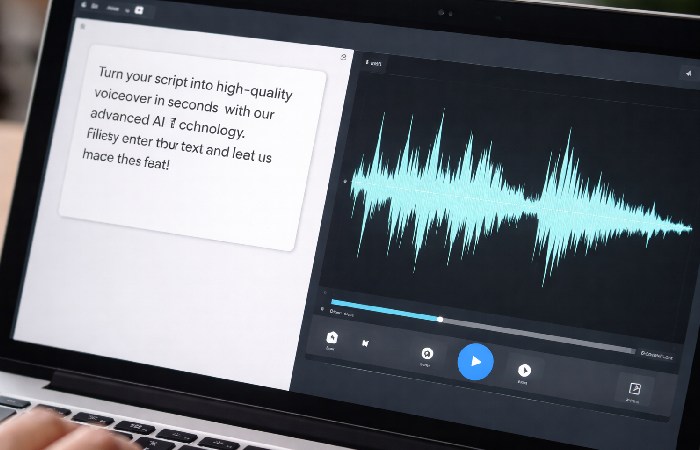
MicMonster.com is a cloudbased TTS. Simply enter your script or paste it in, select a voice and language, tune the controls (speed, pitch, etc), and publish an mp3, wav, or None-of-the-above that can be imported into your video editor, LMS, or podcasting server.
MicMonster is also one of numerous AI related content products operating under the group of companies of the Heitechumbrella which has announced its funding to scale AI content sharing platforms, of which we could expect more such SaaS commercial uses of AI productions.
Is MicMonster Legit and Safe to Use?
MicMonster is a public SaaS product with a live official site, documented terms of service, privacy policy, and mobile apps for the Apple and Google ecosystems which all are good indicators that its legitimacy. As with any AI service you should understand the terms and data policies before going to production.
Key trust points:
- The official MicMonster website is HTTPS‑secured and clearly describes features, pricing, and supported languages.
- The MicMonster pricing page sets out characters per month, language/voice counts, and commercial license availability for each plan.
- The commercial license help article clarifies that commercial use is reserved for Pro users; trial users are limited to non‑commercial projects.
- The MicMonster privacy policy explains how analytics and usage data are collected and used.
- The iOS app listing shows that MicMonster is distributed under the HeiTech Oy developer account and supports many languages.
The key risks are not in the default security of the platform, but to the decision on plan type, knowing the character limits and making sure your licence does in fact cover your planned commercial use.
Specs at a Glance (As of Early 2026)
The snapshot below is directly taken from the marketing page, MicMonster, and pricelist, at the time of writing; actual specs may be changed, so always check the current specs on micmonster.com.
MicMonster Pricing Overview
MicMonster’s pricing is built around paid Pro tiers plus a limited free trial. At the time of writing:
- Free / Trial:2,000 characters per month, trial access to service, not a commercial license.
- Pro Monthly: Approximately $15/month (discount) for 250,000 characters, 140+ languages, 800+ voices, pro editor and commercial license (base $20).
- Pro MaxQuarterly/Annual: High-volume plans (i.e. 3 million characters a month or more) that also have big discount promotions (i. E.50% off with 50TODAY codes).
- Pro Max LTD (Lifetime): Onetime fee (discounted from $1599 to ~$799.50 in current offers) for 1 million characters/month with unlimited (lifetime) access.
- As MicMonster is carried by aggressive sellers, the prices mentioned on outside blogs can be become outdated, so always check on official pricing page for final call.
Core Features in Plain Language
MicMonster focuses on combining a broad voice library with a relatively simple interface. Core features include:
- Over 800 voices in 140+ languages and accents
- More fine-tuned editor controls for rate, pitch, emphasis, and pauses for polishing delivery.
- In one project, Multivoice scripting so you can assign different voices to different points in a script.
- An accessible pronunciation library and ‘impressive voices’ (pretuned styles) for more subtle tone without manual tweaking.
- MP3 support for exporting audio, WAV support for exporting audio, and SRT support for accessibility or captioning workflows.
You shouldn‘t focus on accurately understanding the AI models, but instead think in terms of how natual they sound to your end audience, and if the editor work for your style of productions.
Audio Samples: What to Listen For
When testing MicMonster, create a short script and try multiple voices and speeds. Listen carefully for:
- Pronunciation of product names, brand names and technical terms.
- The naturalness of the pauses and the endings of sentences was also thought to be influenced by:
- If the tone (relaxed. Friendly. stiff. Energetic.) is appropriate to your content.
Real script tests give you a more accurate picture than polished demos on any TTS site.
Typical Use Cases
Common ways creators use MicMonster include:
- YouTube tutorials and faceless channels – turning written scripts into voiceovers without recording yourself.
- Product demos and onboarding videos – keeping audio consistent across many walkthroughs.
- E-learning and in-house training narrate your slides and microlearning packages on a large scale. When developing public or compliance training, ensure your narration and subtitles comply with the Web Content Accessibility Guidelines (WCAG) to adhere to current acceptance standards.
- Mass created content-produced in a high-speed manner for voice-tracking Shorts, Reels, or TikToks.
Where MicMonster Fits in a Real Content Workflow
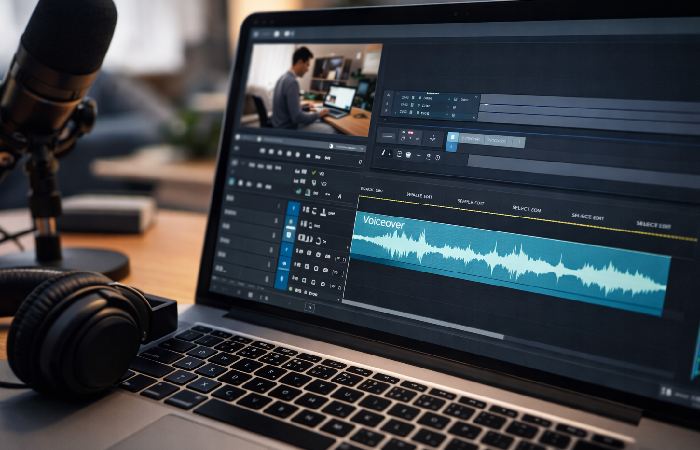
Instead of treating MicMonster as “AI magic,” think of it as a tool that can either remove a bottleneck or add one.
Workflow 1 – YouTube / Faceless Video Channels
Typical process:
- Research and script the video
- Record voiceover
- Edit video and sync audio
- Publish and iterate
MicMonster changes step 2:
- Paste the script into MicMonster
- Choose a voice and adjust speed, pitch, and volume
- Generate and download the audio
-
Drop it into your video editor and sync with visuals
Why it helps: You can easily try different hooks; create more videos in less time; or make your videos in a less than perfect recording environment.
Where it might hurt: If your channel is centered around your own voice and personality, synthetic audio may also sound alien to your loyal fans.
Workflow 2 – Course and Training Content
For a course with 20–50 lessons, re‑recording every module when policies or features change is painful. With MicMonster:
- Update the affected script sections
- Regenerate only those audio segments
- Replace them in your LMS or video editor
This makes continuous updates realistic for large training libraries.
Workflow 3 – Agencies and Freelancers
Agencies and freelancers can use MicMonster for:
- Prototyping – quick voiceover drafts to help clients hear scripts before final production.
- Production – final voiceovers for lower‑budget or internal content, reserving human talent for high‑stakes campaigns.
This can reduce revision cycles and sign‑off friction on client projects.
MicMonster Mobile App: iOS and Android
Alongside the web app, MicMonster also has mobile apps for the main TTS features voice, text, and speech. Its iOS listing says the mobile app can handle many languages and allows converting up to 12,000 characters at a time.
In conclusion, for complex projects (multivoice scripts, heavy editing, bulk exports), the web dashboard is the best environment. The mobile apps are helpful companions for quick edits or small clips on the go.
Strengths – Where MicMonster Makes Sense
Speed and iteration
- Generate audio from scripts in minutes.
- Test different introductions or CTAs without booking studio time.
- Update content quickly when information changes.
Cost and scalability
- Once on a Pro plan, you can produce many audio clips without per‑voice‑actor invoices.
- High‑volume plans and lifetime options significantly reduce per‑minute cost for frequent content.
Consistency and multilingual support
- Use the same voice across many assets for brand consistency.
- 140+ supported languages and 800+ voices give you flexibility to localize or adapt content for multiple markets.
Limitations and Who MicMonster Is NOT For
Where AI voices still fall short
- Emotional stories, delicate humor, and subtle brand voice can all still benefit from good old fashioned human narrators.
- Long form narrative content (e.g., conversational podcasts) can be flat with synthetic voices particularly if people are expecting a “host.”
MicMonster is probably NOT for you if:
- Your personal voice is central to your brand (coaches, influencers, therapists).
- You produce high‑end commercials or brand films where performance is critical.
- You work in sensitive spaces (mental health, grief support, etc.) where human empathy is non‑negotiable.
Technical and workflow constraints
- You still need to learn how to write scripts that sound natural when spoken by an AI.
- You must manage audio files, naming conventions, and versions across projects.
- Because MicMonster is cloud-based, a weak internet connection can slow down your workflow.
MicMonster vs Recording Your Own Voice
MicMonster tends to win when:
- You do not have a quiet recording space or a good microphone.
- You need to produce a lot of content quickly.
- You dislike hearing your own voice and that slows down production.
Your own voice tends to win when:
- Your personality is part of the value proposition.
- You can record at acceptable quality and are willing to practice delivery.
- You need full control over emotion and nuance.
MicMonster vs Hiring Voice Talent
MicMonster tends to win when:
- Budgets are tight or projects are frequent and relatively small.
- You need many incremental updates over time.
- You are producing internal or low‑stakes content.
Professional voice talent tends to win when:
- You are producing flagship brand content or cinematic ads.
- You need a very specific performance style or unique voice.
- You want a sound competitors cannot easily replicate.
How to Get the Best Results from MicMonster
You will get better outcomes if you treat MicMonster as a tool that needs good input.
Writing scripts for AI voices
- Avoid lengthy paragraphs that are difficult to read. Short sentences should be used.
- If you want a natural pause, add odd places in the sentence for commas.
- Member should avoid their usual lengthy, complex sentences that are difficult to produce and difficult to understand when spoken.
- Read once your script out loud. If it sounds strange in your voice it will sound strange in AI!
Tuning voice settings
- Play with pitch, speed, volume and emphasis so you don‘t sound robotic.
- If the voice appears to be too dead, slow it down a little, or add angry own-aggression, or interrupt.
- Generate short test samples before rendering long clips they will save time and characters.
Integrating audio into your production flow
- Consistent file names (e.g. Module-01-intro-v2.mp3).
- Can you keep a simple folder structure per project.
- Save the final script with the audio recordings so you can easily regenerate an answer in the future.
MicMonster Pros and Cons
Pros
- Fast generation and iteration for scripts.
- Competitive pricing with heavy discounts on Pro Max tiers.
- 800+ voices and 140+ languages for broad coverage.
- Advanced editor with control over speed, pitch, emphasis, and pauses.
- Commercial license available on Pro plans, with clear help documentation.
Cons
- Various audiences have negative reactions to voices produced using AI.
- Emotional nuance is still limited compared with skilled human talent.
- Character caps exist even on high‑end plans; “unlimited” refers mainly to projects, not characters.
- The Cloudonly workflow is highly reliant on your Internet connection.
Learning Curve: What to Expect
Even though MicMonster is easy to start with, there is a learning curve. You will need to:
- Alter your style of writing so it sounds natural when spoken, by AI.
- Test different voice and setting combinations.
- Build a simple file and version management system.
Most users will notice better output quality after a few projects of trial and error.
MicMonster Support and Cancellation
Supporting mainly through the website, but also through inapp support platforms MicMonster is done digitally
- You can reach out to the team if you need offfrom the dashboard chatbox or using the support email display on the pricing and FAQ sections (for instance, support@micmonster.com).
- You can cancel via the billing page within your account or by contacting support; cancelling usually cancels your billing in the future, but if you have existing reservations you will be allowed to use your account until they are finished.
Trust, Safety, and Ethical Considerations
There are also considerations about disclosure and responsible use when it comes to AI voice tools. Policy frameworks like the OECD AI Principles as well as new regulatory efforts around synthetic media call for disclosure when AI is used in sensitive contexts.
Practical guidelines:
- AI voices are not normally of concern when used in educational/explainer material where the audio is unobjectionable.
- If a human host is expected (and you can be comfortable sharing this information), include a disclaimer that you employ an AI voice if you think that it would be relevant and appropriate in sensitive, high-trust situations.
- Refrain from using MicMonster voices to create impressions of actual people.
Before using MicMonster audio in monetized channels or client projects, always confirm that your plan includes the necessary commercial rights and that you follow MicMonster’s terms of service and commercial license rules.
Conclusion – When MicMonster Is the Right Choice
MicMonster.com is not a magic button, but it can be a powerful tool when you use it in the right context. It shines when you need:
- Fast, consistent voiceovers for explainer videos, training, and internal content
- Affordable audio for many small projects or frequent updates
- Multilingual support across 140+ languages without hiring multiple voice actors
It is not the best choice when:
- Your personal voice is central to your brand
- You are producing high‑end, emotionally rich campaigns
- You work in areas where human empathy is essential
If your workload falls into the scenarios discussed in this article, I recommend trialling MicMonster on a smallish project with the free trial. If it helps you work faster without impacting quality where you need it most, you will have found a powerful and affordable tool to add to your content-production toolkit.
Frequently Asked Questions About MicMonster
1. What is MicMonster and how does it work?
MicMonster is an AI texttospeech (TTS) application that converts scripts, either pasted or uploaded, into mp3 or wav sound files used to add voice to videos, courses or other content. Select language and voice from a library, fine tune during export and produce audio. More features can be read about on offical MicMonster website.
2. Is MicMonster good enough for YouTube videos?
Mic Monster is suitable for many types of videos on YouTube–a faceless video, tutorial, explanation, where conveyance and speed are more important than emotional delivery. However, if your channel mainly relies on a vocal personality, then human voice recording will most likely produce the best result.
3. Can I use MicMonster for commercial projects?
You can use MicMonster for commercial projects if you are on a paid plan that explicitly includes commercial‑use rights. MicMonster’s own commercial license guidelines note that free or trial usage is for non‑commercial purposes, while Pro‑level plans include rights for things like monetized YouTube channels, client work, and online courses. Always confirm your current plan and the latest terms before using AI audio in paid or client projects.
4. How many languages and voices does MicMonster support?
By early 2026, MicMonster‘s pricing and product pages list the platform as including over 800 AI voices in more than 140 languages and accents. These numbers are subject to change as MicMonster continues adding voices. The most accurate current count can be checked inside your account or on the MicMonster pricing page.
5. Does MicMonster have a mobile app?
Yes. The native app version for PC is available on iOS and Android. The official MicMonster iOS app (published by user server. hei-tech oy) has many languages available, up to 12,000 characters per conversion via mobile. And a supporting Android version is also through Google Play. For staying at the top level of multic-voice scripts and mass conversion, the web editor at micmonster.com is still the best place.
6. Who created MicMonster?
MicMonster is a member of the ai content products sold with the HeiTech corporate identity, and the Finnish origin is announced with the partly publicly funded company. The app is published from HeiTech Oy dev account on iOS.
7. How do I contact MicMonster support?
MicMonster support is online. Support or chat links are available from the MicMonster pricing and dashboard pages, and from within the application when you are logged in. Look in the Help or Contact section or on the site footer for the latest support email address.
8. How do I cancel my MicMonster subscription?
How to Cancel? You must be logged into your account and visit your billing account. Once there, you then select to downgrade or to cancel. Your cancellation should be sent to you via email and you will continue to have access unless you are on a free trial until the end of the billing period. For lifetime or special promotional plans, review the terms on the MicMonster terms of service or contact support to confirm how cancellations work for your specific offer.
9. Is MicMonster better than recording my own voice?
Sometimes it is preferable to use MicMonster when you don‘t have a quiet recording environment, a decent microphone, or have no time to rerecord scripts and updates. Personal voice work should be reserved for when your personality is valued as part of your brand or when you need an emotional, “human” touch to your content.
10. How does MicMonster compare to hiring a voice actor?
Since MicMonster is faster and it is usually less expensive to produce a lot of small pieces than to hire professional voice talent for frequent updates, it is perfect for updating software or other content on a weekly basis. However, professional voice over talent is preferable for end user campaigns that require high end commercials, brand films, and other highquality campaigns requiring performance, distinctiveness, and emotion.
11. Who should not use MicMonster?
If your personal voice is the heart of your brand, if you make high end commercials or story telling pieces that require nuanced acting, if you work in a delicate context (like mental health support) where the human element is needed, then a human reader will generally be more appropriate.
12. Does MicMonster have a learning curve?
Yes. Despite the initial simplicity of MicMonster, it requires learning to write voice-acting quality scripts, playing around with speed and pitch, and an uncomplicated file management process. However most people see significant improvement after three or four practice recordings.
13. Is MicMonster safe and ethical to use?
Can it be used safely? As long as it follows the respect for privacy policy and terms of service, and that the AI voices are used ethically, it should be safe to use. Generally, it is sensible to use the AI audio ethically, so as not to use the AI voices to portray someone as to trick viewers, or have a mention in trust heavy or sensitive situations that the audio is AI in some way. Constant obligations for commercial use.
About the Author
Abdul Rahman is a hobbyist writer and blogger who has been writing about topics like tech, health, marketing, productivity and straightforward consumer applications and services for over four years. He specializes in taking complex topics and making them accessible, easy to follow, practical information.
This article was last updated and reviewed in April 2026. Prices, features and platform details are changes without notice. Always check current details at the official MicMonster site, before making decisions about purchasing or production.