
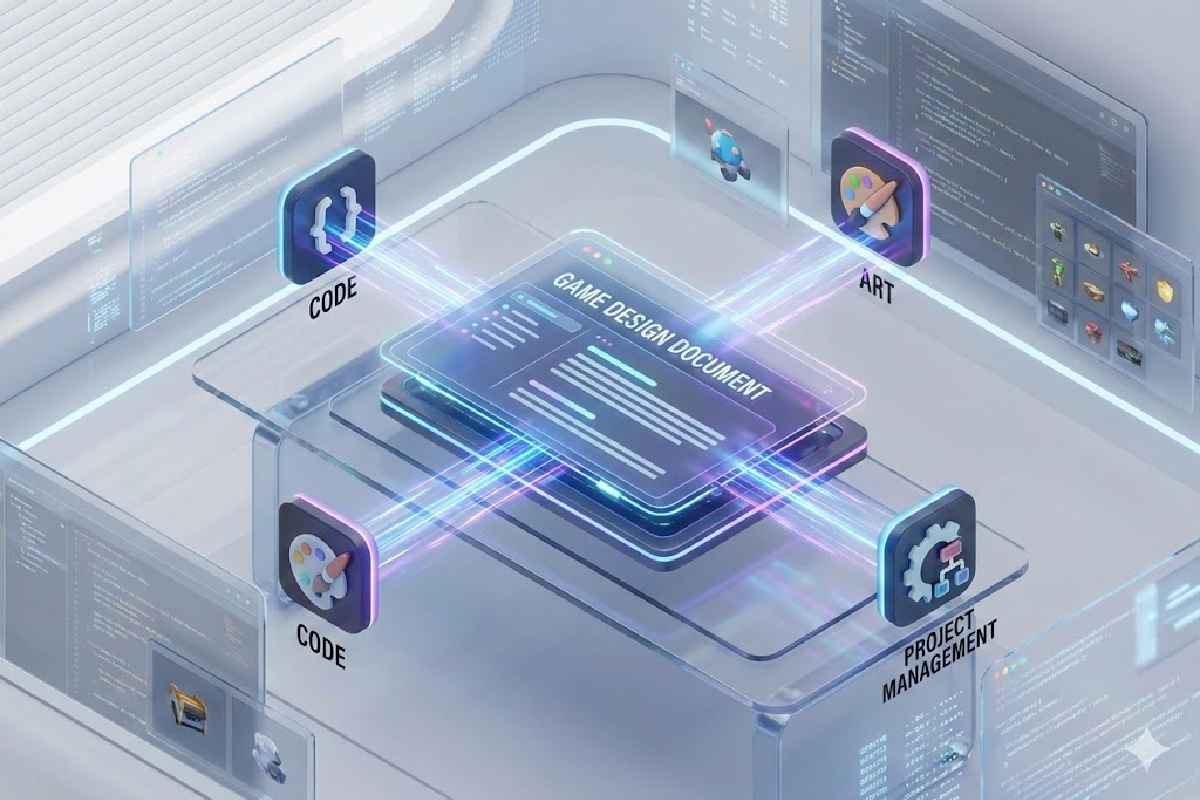
A game design document (GDD) is not a static file that languishes in a folder after the first draft. It is a living artifact that evolves with your team’s understanding of the game, tightly integrated into your tools, conversations, and workflows.
In traditional models, GDDs were exhaustive documents written in pre‑production and rarely updated. TToday, successful studios treat GDDs as collaborative knowledge hubs, updated continuously and linked directly to real work, prototypes, and decisions—an approach that aligns closely with a feasibility‑first game design document model such as the one described in this feasibility‑first GDD framework.
This shift changes how documentation drives execution rather than merely describing it.
Table of Contents
1 | The Static GDD Is an Outdated Artifact
The classic approach—produce a giant document that captures every design decision up front—fit older, waterfall‑style workflows. In practice, massive static GDDs quickly become obsolete and underused once development starts, because teams iterate on mechanics, scope, and constraints as they learn. Agile and modern production practices favour “just enough, just‑in‑time” documentation, which has reshaped how teams think about their design docs.
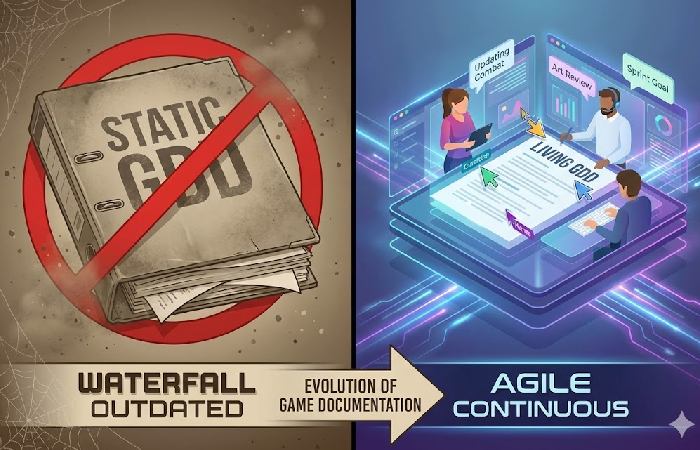
Many developers report that long, rigid GDDs become burdens that teams stop reading or referencing. The result is documentation about the game, not of the game as it actually evolves. Modern guides recommend reframing the GDD as an evolving, collaborative document rather than a frozen master spec, as emphasised in Your Guide to Game Design Documentation.
2 | What a Living GDD Really Means
A living GDD is less a single file and more a central, evolving hub of knowledge that grows with the project. Common patterns include:
- Modular structure – breaking design into feature‑level or system‑level pages instead of one monolithic document, making updates targeted and manageable.
- Real‑time collaboration – multiple contributors updating content simultaneously, with comments, discussions, and version history baked into the tool.
- Tool integration – design entries linked directly to project‑management tickets, prototypes, and asset repositories so design intent and implementation stay aligned.
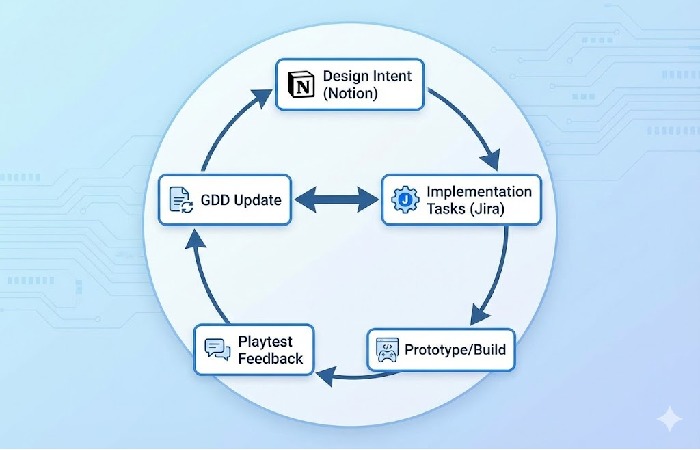
Many studios now build GDDs inside wiki‑like workspaces or knowledge tools—Notion, Confluence, GitBook, internal wikis—because these platforms support search, tagging, and continuous editing more effectively than static word‑processor files.
3 | GDD Integration Improves Cross‑Functional Clarity
A static GDD often isolates knowledge: designers write, engineers interpret, producers and artists ask questions in side channels, and the document drifts out of sync. A living GDD changes this by acting as a shared, current source of truth:
- Artists can see design intent, mood boards, and reference links directly alongside feature descriptions.
- Engineers can find technical notes, edge cases, and links to implementation tickets in context.
- Producers can track how features evolve and cross‑reference them with milestones and burndown data.
When a GDD lives in the same ecosystem as tasks, prototypes, and builds, misunderstandings shrink and teams align around current design decisions instead of outdated snapshots.
4 | Documentation That Reflects Iteration and Feedback
Game features rarely ship exactly as first imagined. Mechanics are tuned based on playtests, UI shifts after usability feedback, and narrative beats adjust as pacing is refined. Without a living document that captures these changes and the reasons behind them, teams quickly lose decision history: why a control scheme changed, why an AI system was simplified, or why a level flow was cut.
Modern GDD practice emphasises:
- Version history and change logs for important sections.
- Inline notes explaining why features were redesigned or descoped.
- Links to playtest reports or analytics that drove major decisions.
This keeps the documentation tightly coupled to the game’s real evolution, rather than stuck at the pre‑production vision.
5 | Prioritising Intent Over Exhaustive Detail
A living GDD does not mean “more words”; it means more relevant, timely information. Traditional documents often drift into verbosity, while modern practice values:
- Clear summaries of design intent so any discipline can quickly grasp what a feature is meant to achieve.
- Visuals and diagrams—flows, state charts, UI wireframes, gameplay loops—that communicate faster than long paragraphs.
- Embedded context, such as links to prototypes, mockups, and tasks, so nobody has to guess why something exists or where it is being implemented.
The goal is comprehension, not sheer volume: documentation should help teams move faster and make better decisions, not slow them down.
6 | Challenges—and How Teams Overcome Them
1. Cultural resistance
Teams used to static documentation may resist the idea of continuous updates and shared ownership. Overcoming this usually requires:
- Defining clear ownership for sections (for example, “combat systems,” “economy,” “progression”).
- Setting expectations that major changes must be reflected in the GDD as part of the “definition of done.”
2. Tool discipline
A living GDD only works if people keep it updated. Best practice includes:
- Assigning maintainers for key sections (for example, a designer plus a tech lead).
- Linking GDD entries to tickets or milestones so updates happen when work happens.
- Using version history and “change highlights” for transparency on significant edits.
Case Study Sidebar | How a Mid‑Size Indie Uses Notion + Jira
Many modern teams combine a knowledge base tool with a project‑management platform to implement a living GDD workflow:
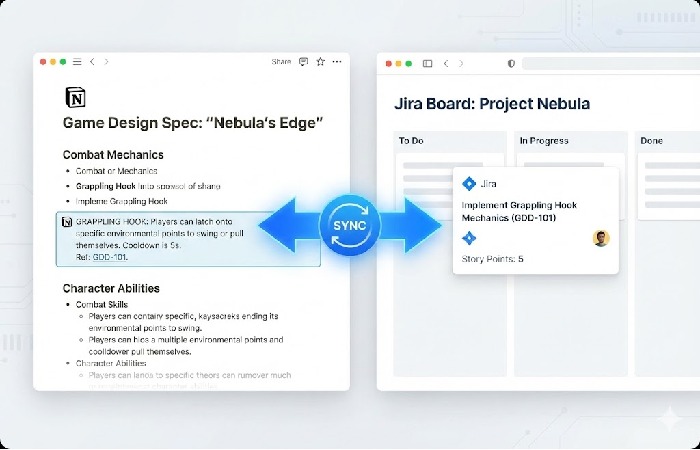
- Notion as the central workspace – sections for design intent, mechanics, art guidelines, and narrative outlines are stored as flexible, searchable pages, often using or adapting a game design document template.
- Jira backlinks – developers reference Jira tickets directly from Notion pages so design decisions are tied to concrete implementation tasks, and tickets can link back to relevant GDD sections.
- Bi‑directional integration – integration tools or automation scripts sync labels, statuses, or links between Jira and Notion so both systems reflect the latest updates without manual copying.
This setup gives designers and non‑technical stakeholders a clear overview in Notion, while engineers retain task‑level visibility and progress tracking in Jira, bridging the gap between design and implementation.
Checklist | What a Living GDD Must Fulfil
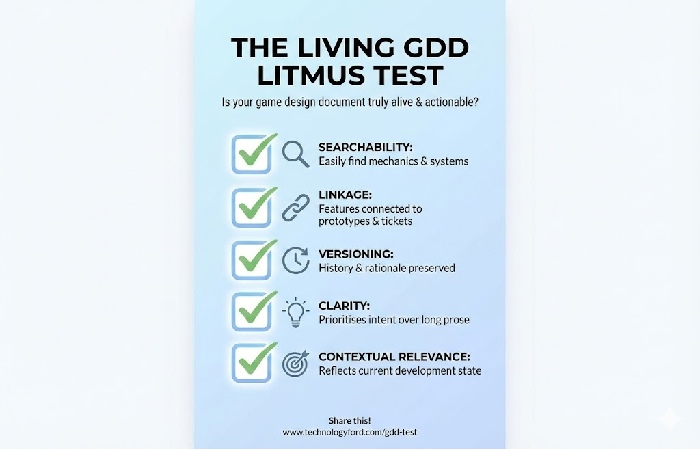
A practical living GDD should meet these criteria:
- Searchability – team members can quickly find mechanics, systems, and decisions they care about.
- Linkage – features are linked to prototypes, builds, tickets, and assets.
- Versioning – change history and decision rationale are preserved for future readers.
- Clarity – entries prioritise understanding intent and constraints over exhaustive prose.
- Contextual relevance – the GDD reflects the current state of development, not just pre‑production plans.
If a document fails these tests, it is likely slipping back toward static, underused territory.
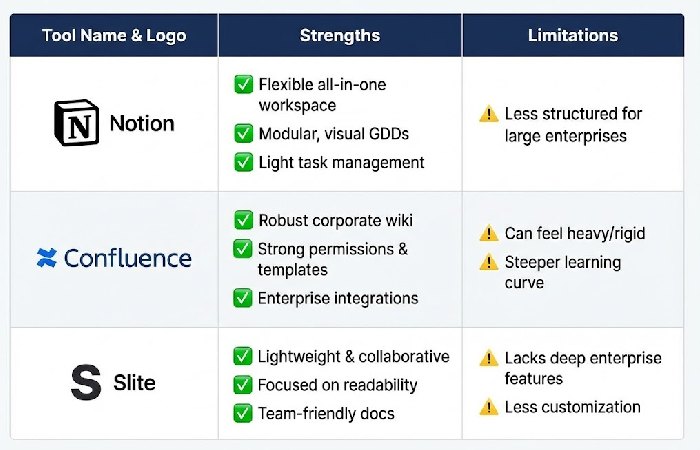
Tool Comparison | Notion, Confluence, Slite, and Wiki‑Style Tools
| Tool | Strengths | Limitations |
| Notion | Flexible all‑in‑one workspace combining docs, databases, and light task management—well‑suited to modular, visual GDDs. | Less structured for very large enterprises compared with classic corporate knowledge systems. |
| Confluence | Robust corporate wiki with strong permissions, templates, and enterprise integrations. | Can feel heavy or rigid; steeper learning curve for small, agile teams. |
| Slite | Lightweight, collaborative knowledge base focused on readability, tagging, and team‑friendly docs. | May lack some deep enterprise features or heavy customisation required in bigger organisations. |
| Wiki‑style tools (internal wikis, GitBook, etc.) | Good for evergreen documentation and cross‑team knowledge bases, with strong linking and search. | Often need additional setup or integrations to connect directly to live project‑management workflows. |
Each tool has its place depending on team size, workflow complexity, and integration needs, but the underlying principle remains constant: your game design document must be live, connected, and actionable, not static and siloed.
Key FAQs About Living Game Design Documents
Q1. What exactly is a “living” game design document?
A living GDD is an online, continuously updated knowledge hub—usually hosted in a collaborative tool—where design intent, constraints, and decisions are captured as the game evolves, rather than being frozen at pre‑production.
Q2. Do I still need a traditional, long‑form GDD?
Not necessarily. Many teams replace one monolithic document with a structured collection of smaller, linked pages (for systems, modes, economy, narrative, and similar areas), which together serve as the game design document.
Q3. How do I keep a living GDD from becoming chaotic?
Use a clear information architecture (sections by system or feature), assign owners, define naming conventions, and rely on tags and search. Modern templates and guides recommend modular structures for exactly this reason.
Q4. Which tool is “best” for a living GDD?
There is no universal best tool; the right choice depends on your team. Smaller teams often succeed with Notion‑style workspaces, while larger studios may prefer Confluence or a dedicated knowledge platform, as long as the tool supports collaboration and easy updates.
Q5. How often should the GDD be updated?
Update the GDD whenever a feature meaningfully changes: after key playtests, design pivots, scope changes, or major technical decisions. Many teams treat updating the GDD as part of the “definition of done” for significant features.
Q6. How does a living GDD interact with version control and code?
The GDD does not replace code comments or technical design docs; it sits alongside them as the shared, cross‑disciplinary view of intent and behaviour, while repositories and technical specs handle implementation detail.
Q7. Can AI tools help maintain a living GDD?
Yes. Some teams use AI‑assisted documentation tools to summarise meetings, update sections, or draft initial descriptions, but human review remains crucial to ensure accuracy and alignment with actual gameplay.
Disclosure
This article is for informational purposes only and does not constitute legal, production, or contractual guidance. It draws on current industry best practices and widely accepted resources on game design documentation and tooling. AI assistance was used to help structure, edit, and clarify the content, with human oversight to ensure accuracy and practical relevance for game development teams.