

Many staff register apps are designed to fix today’s attendance problem—but can create tomorrow’s payroll or compliance issues if their limits aren’t clear. This guide helps you choose the right type of app based on limits, trade-offs, and business fit.
This article helps you decide which category of staff register app fits your business now—and which choices commonly lead to hidden costs, rework, or compliance risk later.
Table of Contents
Quick Answer
A staff register app digitizes attendance, but not all apps handle salary calculation or statutory compliance. Small shops typically need simple digital registers, field teams need GPS-based attendance, and registered businesses need attendance that feeds into payroll. Choosing the wrong type often leads to data lock-in, manual work, or legal exposure.
Key Takeaways
-
“Staff register app” covers three very different product categories.
-
Attendance tracking alone does not equal payroll or compliance.
-
Many free apps limit exports, reports, or admin controls.
-
Data portability matters if your business formalizes payroll later.
-
Choosing by business fit, not feature count, reduces long-term risk.
Why Businesses Are Replacing Manual Staff Registers
Manual registers break down once attendance affects wages, disputes, or audits.
Common Problems With Paper Registers
-
Missed or altered entries
-
Salary disputes over half-days and overtime
-
Time-consuming month-end calculations
Why These Issues Scale Poorly
As headcount or wage complexity increases, paper systems cannot reliably:
-
Enforce honest clock-ins
-
Produce consistent records
-
Support payroll review or audits
The 3 Types of Staff Register Apps (Critical Distinction)
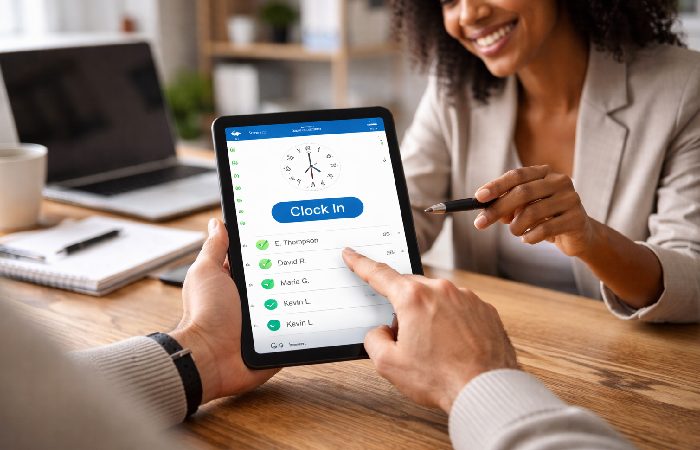
Not all staff register apps are designed to solve the same problem.
1. Simple Digital Register (Shops & Daily Wages)
What it is
A digital replacement for a physical attendance diary.
Best for
-
Small shops and local businesses
-
Daily or weekly wages
-
Very small teams
Pros
-
Fast setup
-
Low learning curve
-
Often works offline
Cons
-
Limited reports
-
No built-in compliance
-
Can become a dead end as the business grows
Avoid if you issue payslips, file statutory returns, or plan to scale.
2. GPS & Selfie Attendance (Field Teams)
What it is
Attendance systems focused on where and how staff clock in.
Best for
-
Field sales
-
On-site or remote teams
-
Location-sensitive work
Pros
-
Reduces false entries
-
Supports remote oversight
-
Often includes offline syncing
Cons
-
Higher battery usage
-
Requires employee consent
-
Still not payroll by default
3. Attendance + Payroll Systems (Compliance-Ready Businesses)
What it is
Attendance that feeds directly into salary calculation and can help support compliance workflows when configured correctly. These systems provide the data and structure you need, but they do not replace professional legal or tax advice.
Best for
-
Registered businesses
-
Companies issuing payslips
-
Teams filing statutory returns
Pros
-
Fewer payroll errors
-
Better audit readiness
-
Scales with business complexity
Cons
-
More setup effort
-
Higher ongoing cost than utility apps
What Each Type Can — and Cannot — Do
Each type of staff register app looks similar at login, but what really matters is which tasks it can actually handle—and which parts still fall back on manual work.
| Function | Digital Register | GPS Attendance | Payroll System |
|---|---|---|---|
| Track attendance | Yes | Yes | Yes |
| Reduce buddy punching | No | Often | Yes |
| Salary calculation | Basic | Limited | Structured |
| Payslips | No | No | Yes |
| Compliance workflows | No | No | Yes |
Key clarification:
Attendance data is an input. Payroll and compliance are separate processes.
Hidden Trade-Offs Most Pages Don’t Explain
Where “Free” Plans Commonly Stop
Payment is often required for:
-
Downloadable reports
-
Data exports
-
Multiple admins
-
Payroll or accountant access
GPS & Face Recognition Limitations
-
GPS can increase battery use
-
Face recognition may fail in poor lighting
-
Privacy expectations must be managed clearly with a transparent GPS tracking policy.
Biometric Hardware Reality
“Supports biometric devices” usually means:
-
Separate hardware purchase
-
Setup and maintenance effort
-
Occasional downtime
Will This App Still Work in 6–12 Months?
Many businesses outgrow their first attendance app.
Common Upgrade Triggers
-
Team size increases
-
Formal payroll begins
-
Compliance or audits become relevant
Practical rule:
If payroll formalization is likely, choose an app that allows clean data export.
Data Lock-In & Exit Risk
Before committing, check whether you can export:
-
Employee IDs
-
Dates and shifts
-
Attendance status and wage rules
Without this, switching systems later often means re-entering data manually.
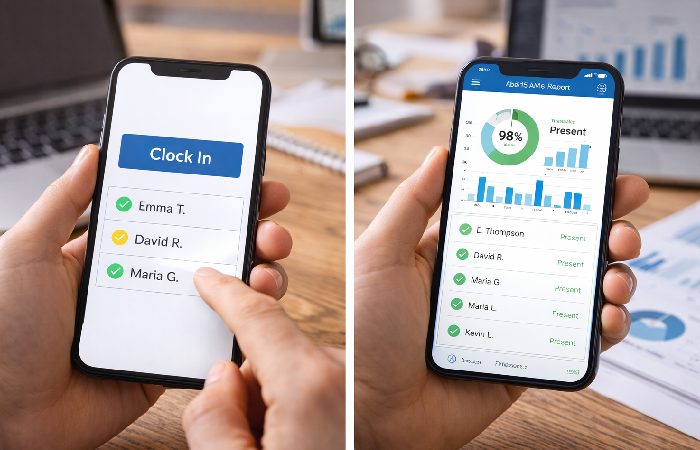
Free vs Paid Staff Register Apps (High-Level)
On the surface, free and paid staff register apps look similar—but the real differences show up when your team grows or payroll gets serious.
| Area | Free / Utility Apps | Paid Payroll Systems |
|---|---|---|
| Setup | Very fast | Moderate |
| Cost visibility | Low | Clear |
| Scalability | Limited | Strong |
| Compliance support | None | Built-in |
| Long-term risk | Higher | Lower |
Who This Is For / Who Should Avoid It
This guide is for
-
Business owners choosing their first attendance app
-
Managers replacing paper registers
-
Teams evaluating upgrade paths
This guide is not for
-
Enterprises seeking deep HR customization
-
Developers comparing APIs or integrations
How Staff Register Apps Typically Work
-
Employees mark attendance (tap, GPS, selfie, device).
-
Managers review attendance records.
-
Data is used for wage calculation or exported for payroll.
-
Advanced systems generate payslips and compliance files.
FAQs
Can a staff register app calculate salary automatically?
Some apps calculate basic wages, but structured salary rules usually require payroll features.
Is GPS attendance allowed?
It is commonly used during work hours, but employee consent and clear policies are important.
Can I switch apps later without losing data?
Only if exports are available in usable formats like CSV or XLS.
Are free apps safe to use long-term?
They can work for small teams, but limitations often appear as reporting or payroll needs grow.
Conclusion
A staff register app should match not just your current size, but your next stage of growth. Understanding limits, trade-offs, and exit paths upfront helps avoid payroll confusion, compliance risk, and costly migrations later.
Author Bio
Technologyford content is written to be practical and easy to understand across topics like health, technology, business, marketing, and lifestyle. Each article is based mainly on reputable, publicly available information, with AI tools used only to help research, organize, and explain topics more clearly. The focus stays on clear explanations and real‑world usefulness rather than jargon or unnecessary complexity.
Methodology
Based on publicly available product information, documentation, and third-party reviews, combined with general enterprise training and content practices. Features, limits, and pricing may change and should be verified directly.
Disclaimer
This content is for informational purposes only and does not constitute legal, financial, security, or procurement advice. Organizations should conduct their own due diligence before making decisions.