
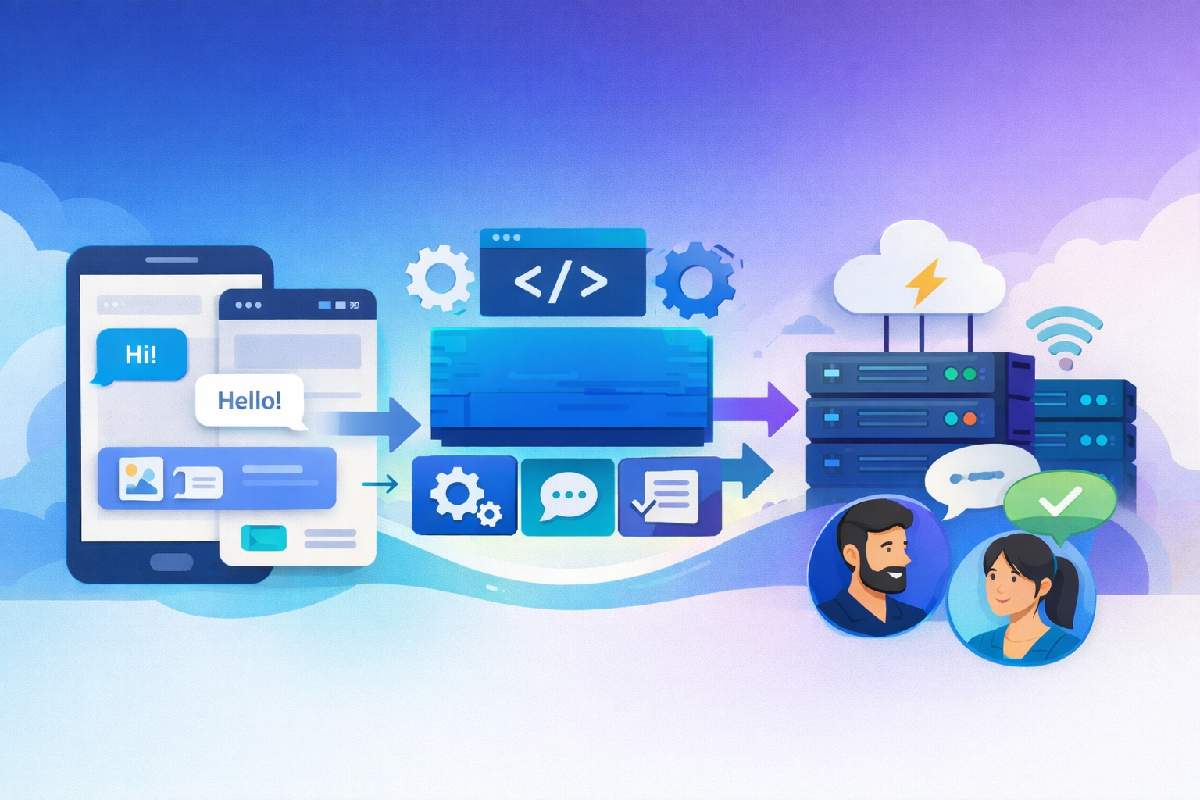
Shipping chat isn’t hard because of chat itself — it’s hard because you’re stuck choosing between building it, wiring a chat API, or betting on a Chat SDK. If you pick wrong, you either waste months of engineering time or get locked into a tool that doesn’t fit your app.
This guide explains what a Chat SDK is, how it works, how it differs from a Chat API, and when it actually makes sense to use one in your app.
Table of Contents
Quick Answer
A Chat SDK (Software Development Kit) is a set of developer tools — libraries, components, and documentation — that help you build and integrate chat or messaging features in apps without writing everything from scratch. It simplifies real-time messaging, UI elements, and interactions.
Key Takeaways
-
Chat SDK helps developers build chat features faster with pre-built tools.
-
It includes UI components, logic, and messaging workflows.
-
Chat SDK is not the same as a Chat API — SDKs offer more integration and customization.
-
Choosing the right Chat SDK depends on your tech stack, scale, and need for customization.
-
Out-of-the-box SDKs offer speed, while custom builds offer maximum control but require more engineering time.
What Is a Chat SDK?
A Chat SDK is a collection of programming tools and libraries that allows developers to build chat and messaging features into apps efficiently. It includes ready-made components for real-time messaging, media sharing, typing indicators, and other chat functions so developers don’t have to create them from scratch.
In simple terms, an SDK is a toolkit that helps you build features; a Chat SDK specifically focuses on chat and messaging functionality within applications.
How a Chat SDK Works
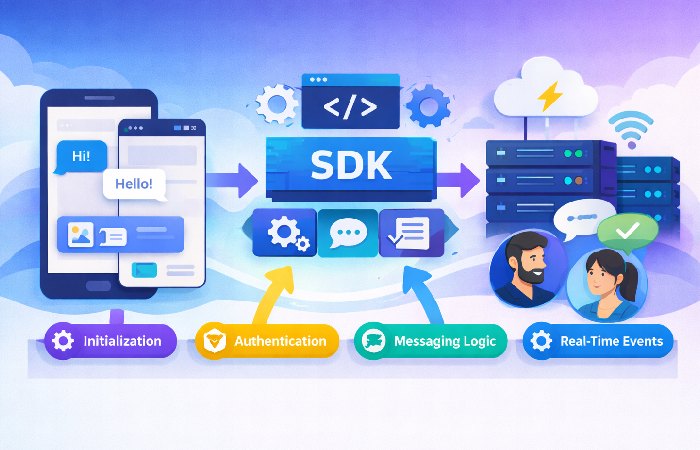
A Chat SDK connects your app’s interface with messaging infrastructure so users can send and receive messages in real time. Internally, it often uses persistent connections (e.g., WebSockets) to deliver messages instantly, handle presence (online/offline status), and update UI elements without manual coding of network logic, similar to how many real-time messaging platforms describe their chat SDK architecture.
Steps typically include:
-
Initialization: The SDK is added to your app project.
-
Authentication: Users are authenticated (e.g., login tokens).
-
Messaging Logic: The SDK triggers messaging events and updates the UI.
-
Real-Time Events: Incoming messages and typing indicators are pushed to the client.
Chat SDK vs. Chat API
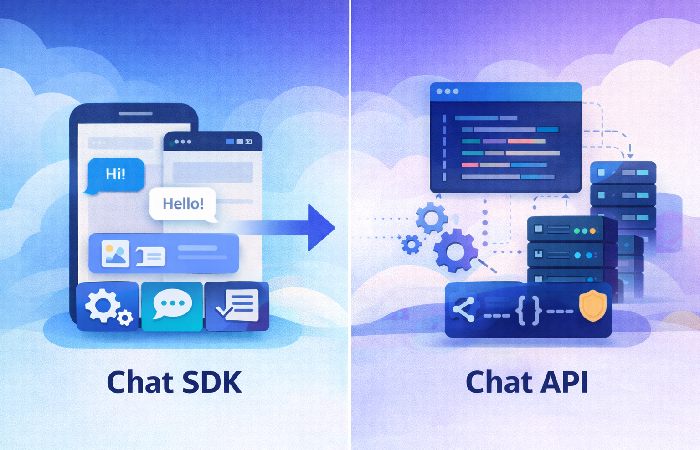
A Chat SDK and a Chat API are related but not interchangeable. They sit at different layers of your stack and affect how much work your team has to do.
| Aspect | Chat SDK | Chat API |
|---|---|---|
| What it provides | Tools, libraries, UI components | Protocols and endpoints |
| Customization | High — includes UI and logic | Limited — mostly backend interactions |
| Setup | Faster integration | Requires more manual work |
| Use case | Full chat feature builds | Adding specific chat endpoints |
| Development effort | Lower | Higher |
Summary:
A Chat SDK is more comprehensive than a Chat API — it includes APIs but also supplies pre-built components and integrations that make adding chat functionality quicker and easier.
Core Features of a Chat SDK
Common features you’ll find in most Chat SDKs include:
-
Real-time messaging — instant send/receive messages.
-
Media support — share images and files.
-
Presence indicators — online/offline or typing status.
-
Custom UI components — ready-to-use chat interfaces.
-
Cross-platform support — works on mobile and web.
These components accelerate development and reduce the burden of managing real-time networking code. Many teams use a chat SDK so they get real-time messaging, media support, and ready-made UI components without rebuilding everything from scratch.
Advanced Capabilities Worth Considering
In addition to basic messaging, modern Chat SDKs may include:
- Threaded conversations and reactions for richer discussions.
- Moderation & filtering tools for community safety.
- Voice and video calling integration as part of the SDK offering.
- Smart extensibility like AI-assisted moderation or smart replies.
When to Use a Chat SDK
Use a Chat SDK when:
-
You want ready-made messaging features.
-
You need a consistent, styled chat UI without building it yourself.
-
Your app requires real-time interactions across platforms.
-
You prefer to focus on your app’s core logic rather than chat infrastructure.
Build vs. Buy: Should You Use a Chat SDK or Build Your Own?
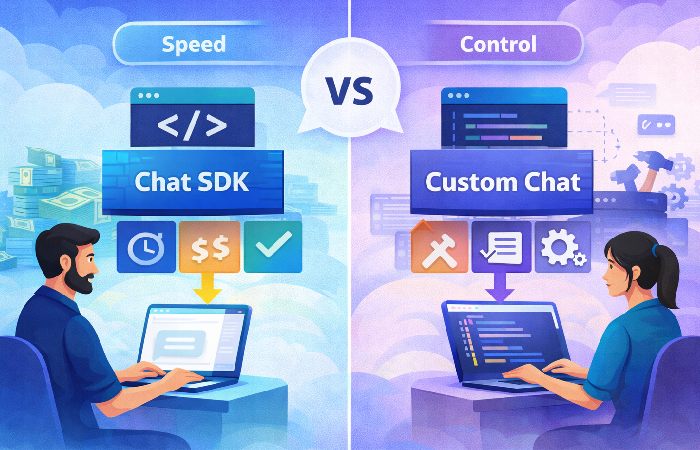
One of the biggest questions teams face is whether to buy a Chat SDK or build a custom chat solution from scratch.
Use an SDK (“buy”) when:
-
You’re building an MVP and need to get to market quickly.
-
You’re adding customer support chat, community chat, or social features that follow common patterns.
-
Your team is small, or your engineers are better spent on your product’s unique features.
-
You want to rely on a vendor’s infrastructure for scaling, delivery, and reliability.
Build your own when:
-
You need highly specialized chat workflows that generic SDKs can’t support easily.
-
You have strict, unique compliance or data residency requirements that limit third-party tools.
-
You want complete control over architecture, performance tuning, and UI/UX down to the smallest detail.
A practical way to decide is to estimate engineering time and opportunity cost. If building chat would delay your core roadmap significantly, a Chat SDK is usually the better option.
Common Use Cases for Chat SDKs
A Chat SDK fits many app scenarios where real-time communication is central or adds value. Examples include:
- Telehealth & Healthcare Apps… ([getstream.io](https://getstream.io/chat/solutions/?utm_source=chatgpt.com))
- Gaming Chat… ([getstream.io](https://getstream.io/chat/solutions/?utm_source=chatgpt.com))
- Marketplaces & E-commerce… ([getstream.io](https://getstream.io/chat/solutions/?utm_source=chatgpt.com))
- Customer support: In-app chat between users and support agents for e-commerce or SaaS products.
-
CRM and internal tools: Messaging between sales or support teams integrated with tools like CRMs.
-
Social networking and communities: Direct messages and group chats in social apps, marketplaces, or gaming apps.
These use cases benefit from features like message history, media sharing, typing indicators, and moderation tools that SDKs often provide out of the box.
How to Choose the Right Chat SDK
Chat SDK Evaluation Checklist
When evaluating Chat SDKs for your app, consider these key factors:
- **Cross-platform support:** Works on iOS, Android, and web without major gaps. :contentReference[oaicite:1]{index=1}
- **Offline messaging & sync:** Handles network drops with retry logic and message queueing. :contentReference[oaicite:2]{index=2}
- **Push notifications support:** Integrates with FCM/APNs for timely message alerts. :contentReference[oaicite:3]{index=3}
- **Core real-time features:** Read receipts, typing indicators, presence, and message status. :contentReference[oaicite:4]{index=4}
- **Scalability & latency:** Performs well under heavy loads with low lag. :contentReference[oaicite:5]{index=5}
- **Security & compliance:** Encryption, data protection, and compliance support. :contentReference[oaicite:6]{index=6}
- **Documentation & support:** Clear guides, samples, and community help. :contentReference[oaicite:7]{index=7}
Once you understand what a Chat SDK is and when to use one, the next step is choosing the best fit for your app. Here are key technical areas to evaluate.
Real-time Synchronization and Latency
-
The SDK should use technologies like WebSockets or Server-Sent Events (SSE) for real-time updates.
-
Check how it handles reconnecting after a network drop and whether it caches messages locally to keep the chat experience smooth.
Offline Messaging Capabilities
Modern users expect messaging to “just work,” even with spotty connections.
-
Look for offline queueing, where messages are stored locally and sent when the device is back online.
-
Confirm how the SDK syncs message history and resolves conflicts after reconnection.
For mobile apps, also pay attention to push notifications and how much you can customize them, such as setting a different message tone for specific chats or channels, similar to how you can set a different message tone for individual apps on Android.
Security and Compliance
Security is critical for any messaging feature, especially when handling personal or sensitive data.
-
Check for features like end-to-end encryption (E2EE) or at least strong transport and at-rest encryption.
-
Review support for authentication standards such as OAuth 2.0, JWTs, or SSO.
-
Make sure the vendor offers documentation around data privacy regulations like GDPR and CCPA, and data residency options if you need specific regions, following the kind of guidance outlined in official GDPR compliance documentation.
Developer Experience and Setup Complexity
Even the most powerful SDK won’t help if it’s painful to integrate.
-
Review the documentation: examples, quick-start guides, and troubleshooting sections.
-
Look for an active community, support channels, or forums that can help you unblock issues quickly.
-
Consider “time to first message” — how long it takes a developer to send a test message after starting integration, and whether the SDK offers a quick integration feature that fits into your existing systems without heavy refactoring.
Pricing Models and Hidden Costs
Pricing can make or break your choice, especially at scale.
Common models include:
-
Transactional: Pay based on the number of messages sent/received, which is more common in SMS and communications platforms.
-
Subscription: Pay based on monthly active users (MAU) or tiers of usage, typical for in-app chat.
Watch for hidden costs such as:
-
Message history storage and retention limits.
-
Bandwidth costs for images, videos, and large file transfers.
-
Additional fees for premium support, SLAs, or advanced compliance features.
Examples of Popular Chat SDK Providers
Here are some well-known Chat SDK options and what they tend to be best for. This is not an exhaustive list, but it gives a sense of the landscape.
| SDK Provider | Best For | Key Strengths | Primary Limitation |
|---|---|---|---|
| Stream | Custom UIs and feeds | Highly customizable, strong dev experience, rich feature set | Pricing may grow with scale and advanced usage |
| Firebase | Mobile and web apps | Tight integration with Google ecosystem, good notifications | More work needed for full-featured in-app chat |
| Twilio | Enterprise and multi-channel | Strong security posture, multi-channel options, compliance | Can be complex to configure for richer chat UIs |
| Sendbird | Social and community apps | Scalable, includes moderation and community features | UI templates can feel generic without customization |
| Nylas | CRM and workflow-heavy apps | Combines messaging with email and other channels | May be heavier than needed for chat-only apps |
| CometChat | Multi-platform messaging | Rich messaging with voice/video and moderation tools | Requires careful plan selection as usage grows |
| PubNub | High-scale real-time apps | Highly scalable real-time messaging platform | More low-level configuration for full chat experiences |
| MirrorFly | Fully custom solutions | Fully customizable messaging SDK | More setup effort than plug-and-play options |
| Agora Chat | Chat plus voice/video | Chat combined with real-time voice/video | May be more than needed for simple text-only chat |
Common Misconceptions
“Chat SDK solves all backend work.”
Not entirely — it simplifies integration but you still need correct server configuration and authentication logic.
“Chat SDK is the same as just an API.”
A Chat SDK includes APIs but also adds tools and often UI elements, whereas an API alone does not.
FAQs
What’s the difference between chat API and chat SDK?
A chat API is a set of rules for your app to communicate with a messaging server, while a chat SDK includes those APIs plus tools and components to build and integrate chat features more easily.
Can I use a Chat SDK for iOS and Android?
Yes. Most Chat SDKs provide components for multiple platforms so you can integrate messaging across devices.
Is a Chat SDK necessary for every app?
Not always — if you only need simple notifications or minimal messaging, a lightweight API or custom implementation might suffice.
Is a Chat SDK hard to integrate?
It depends on your app and the provider. Some SDKs can be wired up to send a test message in under an hour, while more complex, enterprise-focused platforms may take days to configure properly.
Can I customize the chat interface?
Yes. Most modern Chat SDKs provide UI component libraries (for example, React, Swift, or Android) that you can style to match your brand and layout.
Are Chat SDK providers compliant with regulations like GDPR?
Most established providers offer features and documentation to help with GDPR and other privacy regulations, but you are responsible for configuring data residency and handling user data correctly in your own app.
Conclusion
Choosing how to add chat to your app isn’t just a technical detail — it affects your roadmap, user experience, and long-term maintenance. A Chat SDK gives you pre-built messaging logic, UI components, and real-time infrastructure so you can ship faster and focus on what makes your product unique. By understanding how a Chat SDK works, how it differs from a Chat API, and when it makes sense to buy versus build, you can make a decision that fits your stack, team, and growth plans.
Disclaimer
This article is for informational purposes only and is based on general best practices for implementing chat and messaging features in applications. It does not constitute legal, security, or compliance advice, and specific capabilities (such as encryption, GDPR/CCPA compliance, or data residency) vary by provider and implementation. Always review the official documentation of any SDK vendor you choose and consult with your legal, security, or compliance teams before deploying chat in production.
Author Bio
This content is written to be practical and easy to understand across topics like health, technology, business, marketing and lifestyle. Each article is based mainly on reputable, publicly available information, with AI tools used only to help research, organise and explain topics more clearly, and the focus stays on clear explanations and real‑world usefulness rather than jargon or unnecessary complexity.